Machine warmed up. Sublimation paper loaded. A stack of polyester jerseys on your worktable — and then the doubt hits.
Is 385° f right for this mesh fabric? Did I hold it long enough? Why does that last transfer look washed out?
After pressing 500+ jerseys, I can say this with confidence: the gap between a vibrant, pro-quality result and a faded disappointment almost always comes down to three numbers — temperature, time, and pressure.
Here's the real issue. Most guides treat sublimation printing on 100% polyester like one rule fits all. But a lightweight mesh sports jersey is a different beast from a standard tee. The fabric weight, weave, and coating all change what your press needs to do.
This guide gives you the exact heat press temperature for sublimation ink settings for each jersey fabric type. You also get a no-guesswork troubleshooting matrix. Use it to spot and fix problems before they ruin another jersey.
Quick-Reference Sublimation Time & Temp Chart for Polyester Jerseys
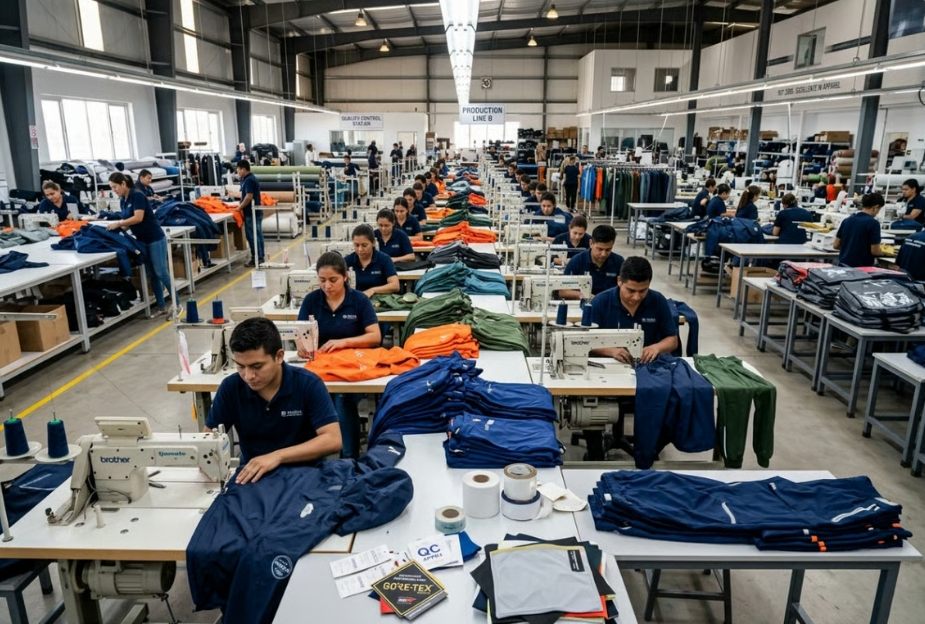
Save this chart. Tattoo it on your brain. Pin it next to your press.
Every number below comes from real polyester sublimation data. It's cross-referenced across Brother, Sawgrass, TeckWrap, and Laughing Giraffe guides — then tested against the specific demands of sports jersey construction. Not generic t-shirts. Jerseys. Different fabric, different behavior, different rules.
The Cheat Sheet: Polyester Jersey Sublimation Settings
Fabric Type | Temp (°F) | Time (sec) | Pressure | Watch Out For |
|---|---|---|---|---|
100% Polyester Jersey (smooth / birdseye knit) | 390–400°F | 35–40 s | Medium (~40 psi) | Pre-press 3–5 s first to kill moisture |
Moisture-Wicking Mesh Jersey (thin, open weave) | 375–385°F | 35 s | Light–Medium (~25–35 psi) | Shine marks, ghosting on open weave |
Poly-Blend Jersey (65–95% poly + cotton/spandex) | 385–390°F | 40–60 s | Medium–Firm | Higher poly = shorter dwell; lower poly = push toward 60 s |
Compression Jersey (poly + 10–20% spandex) | 370–380°F | 45–60 s | Light | Elastane yellows and loses stretch above 385°F |
How to Read This Chart
100% polyester jerseys are your baseline. At 390°F and 35–40 seconds, you hit the sweet spot. That's where dye sublimation ink turns to gas and bonds with polyester molecules. Medium pressure — around 40 psi — gives you full contact across the jersey face. It also keeps the knit structure from getting crushed.
Mesh jerseys need a lower temperature. That open weave has almost no mass to absorb and spread heat. Start at 380°F , hold at 35 seconds , and drop to light-medium pressure. You're not sacrificing color depth here. You're protecting the fabric from sheen and stopping the ghosting that ruins every over-heated mesh job.
Poly-blend jerseys need more time — not more heat. Cotton and spandex fibers in a 65–80% poly blend can't absorb sublimation dye. Only the polyester can do that. So hold temperature near 385°F and stretch dwell time to 50–60 seconds . That pushes enough dye into the available polyester content. Crank the heat instead and you'll scorch the cotton threads — plus the colors will still look flat.
Compression garments are the toughest fabric to press. Spandex starts breaking down around 385–390°F with extended exposure. Run 375°F for 50–60 seconds at light pressure . This time-over-heat approach delivers full color saturation. It also protects the stretch panels and stops pressure rings from forming at shoulder seams.
Quick-start defaults:
- Standard jersey → 390°F / 38 s / medium
- Mesh jersey → 380°F / 35 s / light-medium
- Poly-blend → 385°F / 45 s / medium-firm
- Compression → 375°F / 55 s / light
These aren't guesses. They're solid starting points built from sports jerseys' manufacturer-published polyester sublimation ranges. Then narrowed down for jersey subtypes that most production guides never bother to separate out.
Step-by-Step Workflow: Pre-Press Dehumidification & Transfer Execution
Moisture is the silent killer of sublimation transfers. It hides inside polyester fibers and inside your sublimation paper. It waits — then turns to steam the moment your press closes. That steam pushes dye off-course and leaves you with bubbles, ghosting, and colors that look washed out.
Here's the exact sequence that stops that problem before it starts.This workflow is also widely used for custom sublimation sports jerseys where color consistency and repeatability are critical across production batches.
Step 1: Pre-Press Dehumidification (No Paper Yet)
Before any paper touches the jersey, run a dry press. Most beginners skip this step. It's what separates clean, vibrant transfers from the ones you end up throwing out.
Settings for the dry pre-press:
- Temperature: 385°F
- Time: 5–10 seconds
- Pressure: Light — just enough to flatten the fabric, not enough to compress the mesh structure
Load the jersey so the print zone sits flat under the platen. Avoid seams under the print area. Close the press, hold 5–10 seconds, then open.
Watch for a small puff of vapor on that first press — this is common in humid shops. That's moisture leaving the fabric. That's what you want happening now , not during your transfer.
Running in a shop at 60%+ relative humidity? Do a second 5-second dry press. One pass often isn't enough to clear moisture from heavier athletic knits (150–200 gsm). Those extra 30 seconds are worth it.
The fabric should lie flat after pre-pressing — no ripples, no fold shadows. No flat result means it wasn't ready.
Step 2: Paper Alignment & Barrier Setup
Now you build the stack. Get this wrong and you'll get ghosting that no temperature adjustment will fix.
Positioning the transfer paper:
- Ink side down , always
- Paper should extend 0.25–0.5 inches beyond your design edge on all sides — this is your bleed buffer for any small shift during press closure
- Use center registration marks or a light fold crease at the jersey's center point to align the graphic. No hard creases through inked areas
Taping it down:
- Use polyimide or high-temp polyester tape rated to 400°F or higher
- Place 2–4 small tabs at the paper's outer edges, securing paper to jersey — never between paper and platen
- Keep every piece of tape outside the printed zones . Tape over ink creates halo pressure rings. On mesh jerseys, those rings show up sharp and visible
- No overlapping tape over the design. Stacked tape creates pressure ridges that press right through open-weave mesh
Building the barrier layer:
- Lay uncoated parchment or silicone-treated protective paper on top of the transfer paper
- This protects your upper platen from stray sublimation gas and catches ink blowout on large coverage areas — chest logos, full-back numbers, AOP panels
- For double-sided jerseys: slip an extra protective sheet inside the garment between front and back panels. Skip this and front-side ink bleeds through thin mesh to the back during pressing
Full stack order, bottom to top:
1. Lower platen
2. Optional protective sheet (smart on older platens with ink buildup)
3. Jersey, print side up
4. Transfer paper, ink side down
5. High-temp tape tabs at edges
6. Parchment barrier on top
Step 3: The Transfer Press
Pull your settings from the Quick-Reference Chart in the previous section. For standard 100% polyester jerseys, that's 390–400°F / 35–40 seconds / medium pressure (~40 psi) .
How you close the press matters more than most guides admit.
Close in one smooth, continuous motion. No hesitation halfway down. No sudden drop. Slick polyester gives paper almost no grip. A jerky close shifts the paper and creates double-image ghosting — two frames stacked on top of each other.
Start your timer only once the press is closed and at full pressure. Not when you start closing it. Not halfway down. Closed, full pressure — then start the clock.
Do not lift the press early to check progress. Partial sublimation creates banding and soft edges. A second press will not fix them.
Pressure check: Medium pressure means full surface contact across the jersey face. You're not crushing open-hole mesh or leaving box marks pressed into smooth poly.
- Too little pressure → washed-out, grainy color, incomplete blacks
- Too much pressure → flattened fabric gloss, seam impressions stamped into the print area
Step 4: Cool-Down & Peel
Open the press in a smooth motion after the timer ends. No jolting the stack — any movement at this stage drags still-hot ink.
Move the garment — paper still attached — onto a flat cooling surface or rack.
Wait 10–15 seconds before peeling for standard sublimation papers. For cold-peel papers, wait until the fabric is close to room temperature. Peeling too soon pulls ink back off the fabric.
Peel technique:
- Start at one corner
- Pull the paper back over itself at a sharp 150–180° angle , keeping the paper close to parallel with the fabric surface
- Hold the same angle and the same speed all the way across
- Support the jersey with your free hand to keep the fabric flat — stretching mesh while peeling distorts the print
After peeling, let the jersey rest for a few minutes before stacking. Sublimation gases need time to clear out. Stack hot jerseys right away and you risk ink transferring onto the garment underneath.
For mesh jerseys, hold the finished piece up to a light source and check the hole edges. Clean, sharp edges with no halo or double image mean correct pressure and no mid-press paper shift. See halos? The paper moved — check your tape setup on the next run.
Jersey-Specific Press Adjustments: Mesh Panels, Seams & Number Overlays
Sports jerseys are not flat canvases. These are engineered garments — layered panels, raised seams, number zones stitched over existing fabric. Every one of those structural features will fight your press if you don't plan around them.
Here's what that looks like in practice.
Mesh Panels: Print the Yarn, Not the Holes
The core problem with open-weave mesh isn't color. It's physics. A standard sublimation press pushes dye gas into fabric mass. Mesh has almost no mass in the hole zones — just air. That gas has to go somewhere, and it goes straight through.
The result? Ink penetrates to the back layer. You get halo edges around every hole. The front-side print looks speckled instead of solid.For brands developing private label sportswear, understanding these mesh-specific limitations is essential before approving final artwork and garment construction.
How to fix it:
Drop temperature, increase pressure. Use 375–380°F instead of a full 385°F. Add firmer-than-usual contact pressure. This drives dye into the yarn fibers directly — not through the gaps. You want the adhesive locked into the thread, not spreading across open holes.
Insert a barrier layer between the front and back panels. Slip a silicone-coated sheet or parchment page inside the jersey body before pressing. This stops sublimation gas from bleeding through to the rear panel. On thin mesh, skipping this step will cost you the print.
Cover jersey sections outside your print zone with a spare press sheet. Heat radiating past the platen edge can re-gas sublimation dyes already bonded to nearby fabric. This is a real risk on dark sublimated polyester mesh panels.
After your main press and peel, run a second short press at half the original dwell time with a cover sheet on top. This cleans up halo edges around holes and re-seats any adhesive that lifted on open-weave zones.
On mesh jerseys, hold the finished piece up to light and check the hole edges. Clean yarn edges with no doubling or ring effect mean your pressure and barrier setup worked. Halos mean the gas escaped sideways — drop the temperature 5°F on the next run.
Seams: The Hidden Pressure Thief
Raised seams don't announce themselves. They steal pressure from everything around them. A shoulder seam or side-panel junction under your platen creates a high point. The print zone on either side of it drops into a pressure dead zone.
That shows up as lifting edges, incomplete color transfer, or a faded stripe running parallel to the seam.
Fix this with physical adjustments — not by cranking pressure:
Slide a heat press foam pad or thick felt pad under the jersey body panel. Position it so the seam sinks into the cushion instead of acting as a fulcrum. This brings your print zone level with the platen face.
Position the jersey so seams fall off the platen edge entirely . Shoulder seams on a front chest print often extend far enough to let you slide the print zone inward, leaving the seam hanging free.
For side-panel mesh inserts meeting a smooth poly body panel — two different fabric heights in the same print zone — place the foam pad under the lower panel only . This equalizes contact across the transition point.
Number Overlays: The Double-Press Problem
Pressing over an existing number or logo creates the same issue as seams. You get a raised surface that breaks platen contact on the surrounding fabric. The raised edge of a tackle twill number or a previous HTV application presses a shadow ring into anything printed around it.
Two approaches that work:
Press numbers first, garment graphic second — never the reverse. Applied numbers compress and flatten under heat. Running a second full press over them risks re-activating the adhesive and lifting edges. If numbers go on after your sublimation base, press them at the lower end of the temperature range and cut dwell time by 20%.
Use a foam pad under the number zone on your second press. The foam lets the raised number sink in and equalizes pressure across the garment surface. Without it, the number acts as a dam — the print on either side won't bond properly.
For large number zones (back numbers, double-digit chest marks), run a dedicated pre-press with parchment over the number area only before your transfer press. This pre-compresses the number surface, reduces its height, and gives you a level pressing surface for the transfer that follows.
Machine Calibration Tweaks: Cricut, VEVOR & George Knight Settings
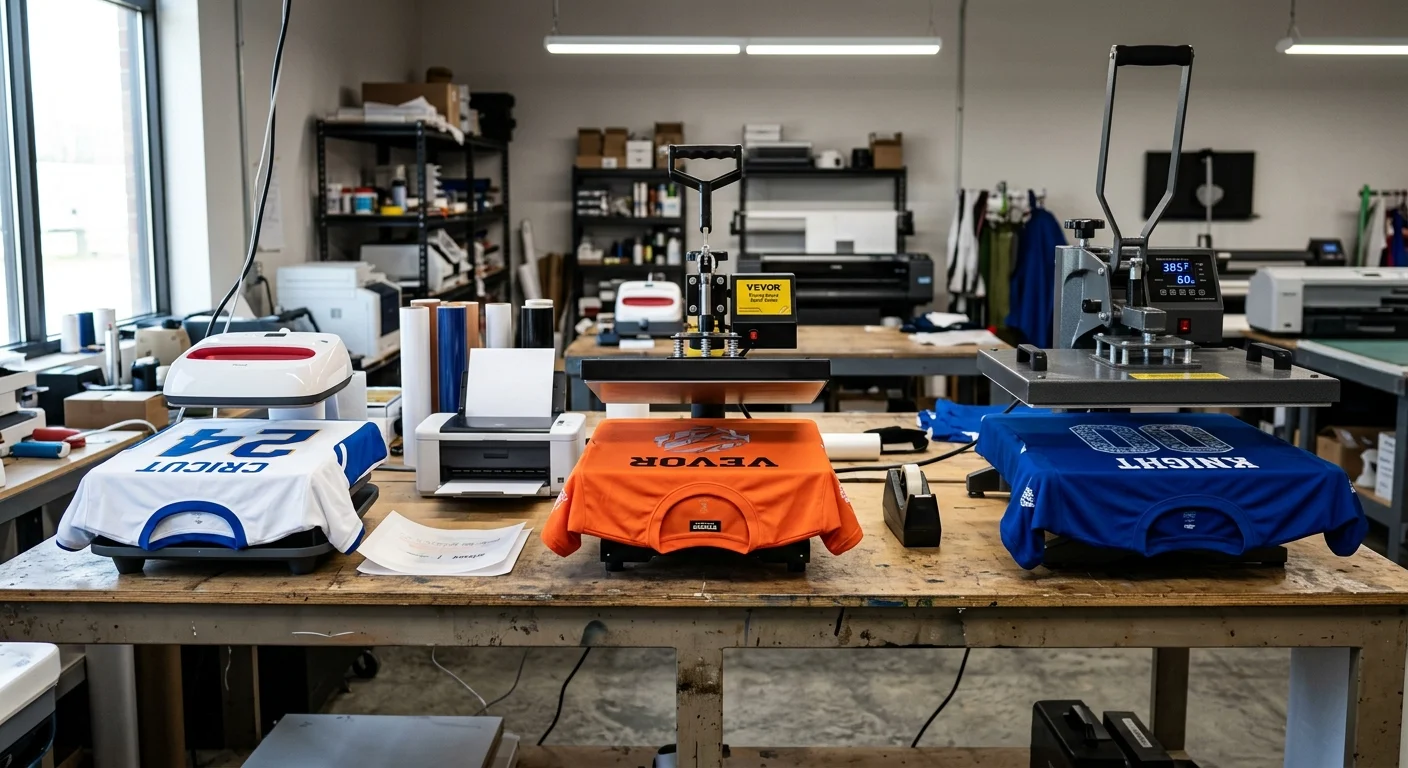
Three different machines. Three different thermal personalities. The settings that nail a George Knight flat platen will leave you with washed-out jerseys on a Cricut EasyPress — not because your temps are wrong, but because each machine delivers heat in its own way.
Here's how to dial in each one.An experienced sportswear supplier will often create machine-specific calibration records to ensure consistent print quality across different production runs.
Cricut EasyPress & Manual Presses
The EasyPress has a lighter platen with less thermal mass. Edges recover heat slowly between presses. Your hand pressure also shifts rep-to-rep — it's never locked in the way a mechanical press is.
Compensate with this offset rule: Whatever the standard sublimation chart says, subtract 5°F and add 5 seconds.
So if the chart calls for 390°F / 35 sec / medium on a polyester jersey, your EasyPress starting point becomes 385°F / 40 sec / firm hand pressure .
For pressure, "medium" on a manual press means a firm two-handed press from the shoulders. You want enough force to compress the fabric a bit, but not your full bodyweight bearing down. Lock your elbows. Lean from the shoulders. Keep your stance consistent across the run. Mark your foot position on the floor for volume work. Your body mechanics are the pressure gauge here.
Seeing banding or light edges? Add +5 seconds before you touch the temperature dial . Raise temp in +5°F steps only — and never go past 405°F on polyester jerseys. Above that, you get sheen marks and fabric scorch, not better color.
VEVOR Swing-Away & Clamshell Presses
VEVOR pressure gauges measure spring compression on the linkage — not the actual surface psi on your jersey. The number on the dial is a reference point, not a guarantee.
Run a carbon paper calibration test before your first production run:
- Load one jersey layer + carbon paper + copy paper
- Press at your target time and temp
- Open and check the copy paper
An even mid-gray imprint across all four corners = true medium pressure. Faint corners with a dark center means your actual pressure is lower than the dial shows. Raise pressure until coverage is even across all corners. Then write down the gauge reading that matches real medium . That's your shop's calibrated number — not the sports apparel factory label.
Swing-away models also drop surface temperature during the open-swing arc. Add +3–5 seconds of extra dwell time at the same chart temperature to make up for that loss.
For clamshell models, check platen alignment. Uneven hinge tension creates a back-heavy press — high pressure at the rear, weak contact at the front. To fix it, tape four small transfer paper strips at each corner of a blank press board. Press at your target settings. Compare print density at each corner. Adjust the pressure knob and leveling screws until all four strips match.
VEVOR working baseline for jerseys:
- Temperature: 385–400°F
- Time: 40–50 sec (chart time +3–5 sec for frame heat losses)
- Pressure: The gauge value you confirmed as "medium-true" via carbon paper test — usually just below the nominal 30–35 psi marking
George Knight Industrial Flat Platens
George Knight presses are the benchmark everything else gets measured against. Dense cast platens. Even heat distribution. Fast recovery between cycles. A well-calibrated GK lets you run chart values straight — no offsets needed.
Production shops across the board report the same jersey baseline as reliable: 390°F / 35 sec / medium pressure .
Set your pressure reference with a paper-pull test:
- Place a strip of copy paper at the front edge of the platen
- Close the press at your chosen pressure
- Pull the paper out with steady force
The paper should resist with clear tension — it shouldn't slide out loose, and it shouldn't tear under a firm pull. That resistance point is your shop's "medium." Mark the knob position. Record it on your job sheet next to 390°F / 35 sec .
For jerseys with thick hems or neck tapes, use a feeler gauge to check platen clearance while cold. Target 0.050 inches (1.27 mm) of even clearance at four points around the platen before you load any fabric. This way, the imaging area between seams gets full medium pressure — not just the high points where seams push up.
Universal Fine-Tuning Rule (All Machines)
Before any production run on a new garment or paper type, press a 10–15 cm test strip with solid CMYK blocks and fine text. Use the same fabric and pre-treatment as your production run.
Adjustment sequence — follow this order, no skipping:
What You See | First Move | Second Move | Only Then |
|---|---|---|---|
Dull / low vibrancy, even transfer | +3 sec time | +3 more sec | +5°F, reset time |
Overcooked / gas halo / edge fuzz | −3 sec time | −3 more sec | − temp last |
Patchy / areas clearly under-pressed | +1 pressure increment | Repeat test | — |
Once you have clean color and full coverage, lock in your machine-specific recipe and post it next to the press:
Cricut EasyPress, polyester jersey: 385°F / 45 sec / firm hand pressure
VEVOR 15×15 swing-away, jersey: 400°F / 45 sec / gauge at your calibrated "medium" reading
Geo Knight 16×20, jersey: 390°F / 35 sec / knob at your verified paper-pull position
Laminate the card. Tape it to the machine frame. Your operators should never have to guess these numbers mid-run.
Troubleshooting Matrix: Fixing Faded Colors, Ghosting & Transfer Voids
Bad transfers don't lie. Every defect on a finished jersey tells a story. Learn to read them, and you'll know what went wrong and how to fix it.
Five failure modes cover about 90% of problems on sublimated polyester jerseys. Here's what each one means, and how to correct it without wasting another blank.
Faded or Dull Colors
Flat, low-saturation color after pressing points to one of three root causes. The temperature didn't gasify the dye enough. The dwell time cut the transfer short. Or the pressure was too light for the fabric to make real contact with the hot platen.
Fix sequence:
- Confirm your press hits 385–400°F at the actual platen surface — not just on the display (more on that below)
- Color still weak after a verified-temperature press? Add 5–10 seconds to your dwell time before touching the temperature dial
- Check that pressure is true medium across the full graphic, not just at the center
There's one non-parameter cause worth catching early. A blank under 80% polyester will never reach saturated color — no matter how much heat or time you throw at it. Sublimation dye bonds to polyester molecules only. Switch to 100% sublimation-ready blanks, and the same settings will give you a completely different result.
Ghosting (Double-Image or Blur)
Ghosting means one thing — something moved. The paper may have shifted during press closure. Moisture vapor may have lifted it mid-transfer. Or a tape tab failed and let the paper drift before the dye finished bonding.
The three-point fix:
1. Tape all four corners with heat-resistant polyimide tape rated to 400°F+. Two tabs is not enough for a large jersey print
2. Slow your press closure. A fast drop creates an air surge that slides slick sublimation paper off position before pressure can lock it down
3. Pre-press the jersey for 5 seconds before laying down any paper. This pulls out moisture that would otherwise turn to steam and push the paper off position mid-dwell
Shops running above 60% relative humidity face higher ghosting risk. Run the dry pre-press twice on humid days. Those extra 10 seconds cost less than a wasted jersey.
Burnt Edges, Yellowing & Stiff Hand Feel
This is what overheating looks like. Thin moisture-wicking mesh jerseys take the most damage. The open weave holds almost no heat buffer, so scorch marks and stiffness appear fast.
Parameter correction:
- Drop to 375–380°F
- Cut dwell to 35 seconds
- Shift pressure from heavy to light-medium
The fabric's hand feel is your best early warning sign. A pressed jersey that feels stiffer than before means the heat ran too high or held too long. Adjust temperature first, in 5°F steps , before changing anything else.
Patchy or Blank Transfer Areas
Incomplete transfer in specific zones means pressure wasn't reaching those spots. Three things cause this: a warped platen, seams or raised features creating air gaps, or a press that's out of level.
Fix the contact problem, not the temperature:
- Slide a silicone foam pad under the low panel to bring the print surface level with the platen face
- For seam zones, position the jersey so the seam falls off the platen edge — outside the pressure zone
- Run a carbon paper calibration test to confirm actual platen contact before your next production run
Defects showing up in one part of the graphic? Check pressure calibration first. That's the fastest diagnostic shortcut available. Uneven pressure can create both patchy voids and ghosting at the same time.
Color Bleeding or Ink Run-Through
Dye migrating past the design edge is a pressure and saturation problem — not a temperature problem. Too much pressure pushes sublimation vapor sideways before it can bond down into the fabric. An oversaturated ink profile dumps more dye than the polyester can take in, and the excess runs.
Immediate corrections:
- Drop to light pressure on the next press
- Place a parchment barrier around the graphic edges to stop lateral vapor migration
- Lower press temperature by 10°F
- Check that your ICC profile matches your paper type — a mismatched profile is a common cause of ink oversaturation that shows up as edge bleed
The One Check That Catches Everything
Across all five failure modes, one diagnostic step matters most: verify your actual platen temperature with an external heat gun or probe before production. Press displays get calibrated at the sportswear factory against a reference point that doesn't always match real platen surface temperatures. Hot spots and cold spots exist on every press. A display reading of 390°F can mean anything from 375°F to 405°F at the surface. That 30°F spread covers the full difference between a perfect jersey and a scorched one.
Measure it once. Write it down. Build your offset into every recipe you post at the machine.
Conclusion
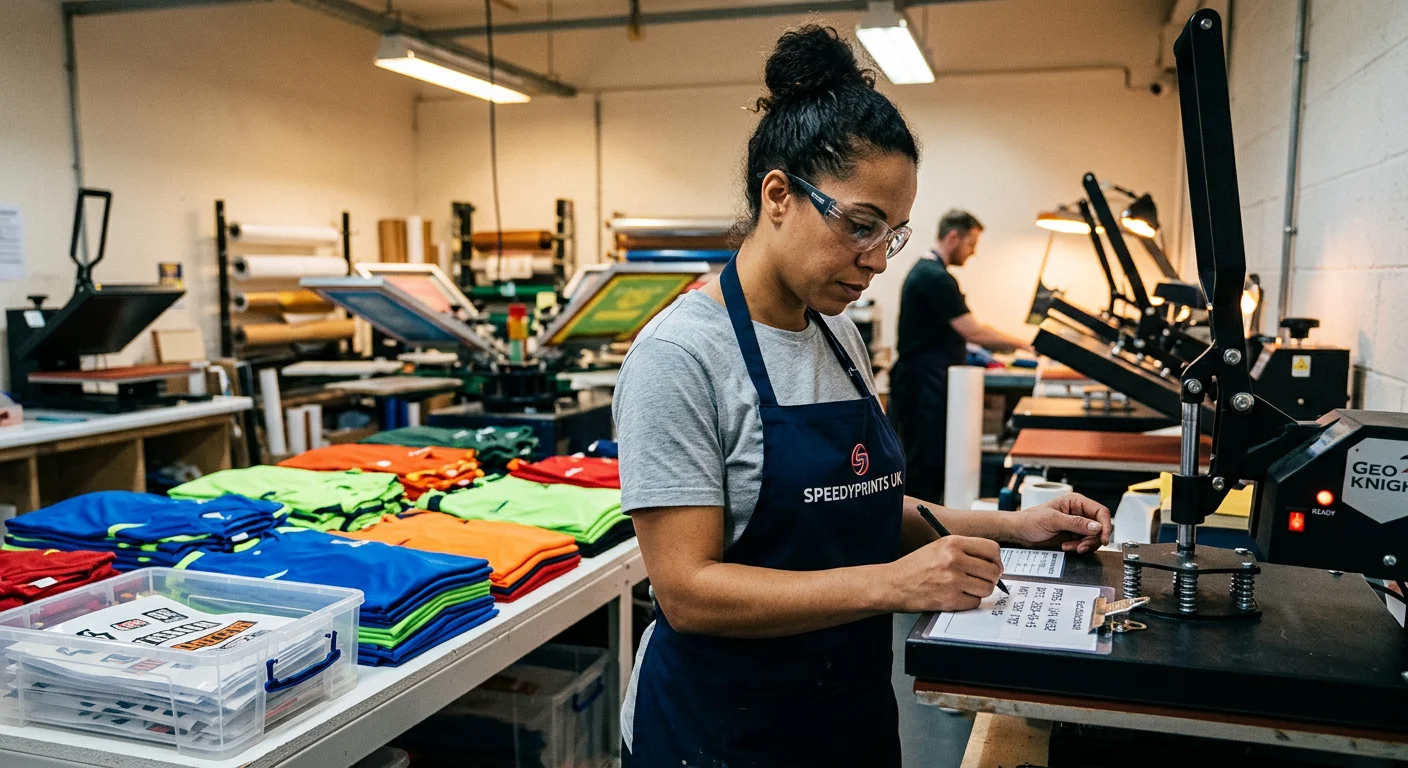
Every ruined jersey hurts twice — once in wasted material, once in lost confidence. After 500+ pressings, here's what matters: nail your pre-press, respect your fabric type, and trust the numbers .
385°F/40 seconds/medium pressure isn't a suggestion — it's your baseline for 100% polyester jerseys. Tested. Proven. Mesh panels need you to drop to 375°F and ease off the pressure. Blends want more heat and more time. The cheat sheet in this guide is there so you're not guessing at 2 AM before a tournament order ships.
Ghosting, faded colors, transfer voids — these aren't bad luck. They're data points. You now have the framework to read them and fix the problem fast.
Your next press should be a test press. Lock in your settings. Run one jersey. Inspect it cold. Then commit to the full run.
Print with intention. Every. Single. Time.For brands comparing wholesale price sublimation sports jerseys, reducing print defects through proper calibration is one of the fastest ways to improve margins and lower production waste.